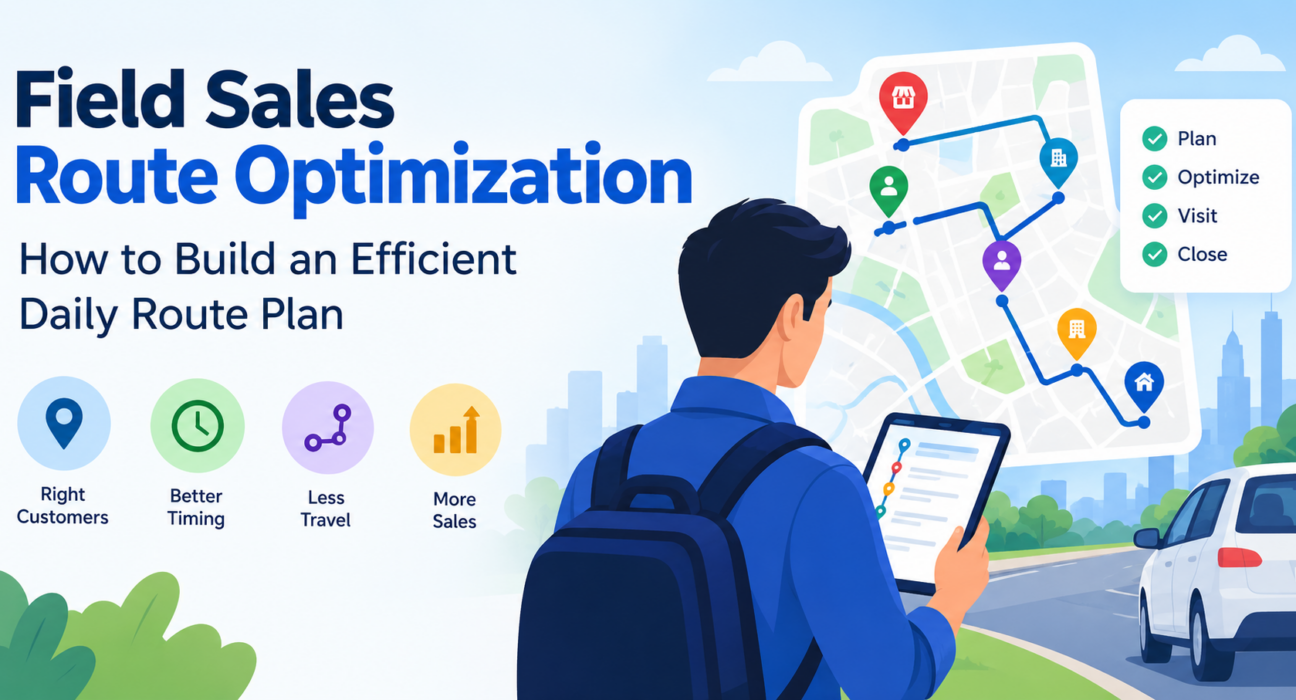
Field Sales Route Optimization: How to Build an Efficient Daily Route Plan
A field sales rep with eight customers to visit can plan the day in dozens of ways. Most reps pick the order from habit, memory, or whichever customer called last. The result is backtracking, missed appointments, and hours lost in traffic that could have gone to selling.
Field sales route optimization is the practice of sequencing and grouping customer visits so each rep covers the right accounts in the least time and distance. This guide explains how to build a daily route plan for field sales representatives, which factors to weigh, which mistakes to avoid, and where software helps.
What Is Field Sales Route Optimization?
Field sales route optimization is the process of planning the order, timing, and grouping of customer visits so that sales reps spend less time travelling and more time selling.
A good route plan balances several things at once: customer location, visit priority, appointment windows, visit duration, and the rep’s working hours. It is different from simply opening a map and picking the nearest stop, because the nearest customer is not always the most valuable one.
Route optimization is also closely related to beat planning, where reps follow a recurring schedule of customers by area and frequency. Beat plans set the long-term coverage pattern. Daily route plans decide the exact sequence for today.
Why Daily Route Planning Matters for Field Sales Teams
Travel is unavoidable in field sales, but unplanned travel is a cost you can control. Poor routes affect the business in several ways:
- Lost selling time. Every extra kilometre driven is time not spent with a customer.
- Higher travel costs. Fuel and mileage reimbursements rise with unnecessary distance.
- Missed or late visits. Without a realistic plan, appointments slip and high-value accounts get less attention.
- Uneven coverage. Reps tend to revisit easy, nearby customers and avoid hard-to-reach ones.
- No accountability. Managers cannot tell whether a skipped visit was a genuine problem or a planning failure.
Better routes do not require reps to work longer. They help reps fit more productive visits into the same day.
Key Factors to Consider Before Planning a Route
Before sequencing stops, gather the inputs that shape the day. Skipping this step is the most common reason route plans fail on the road.
1. Customer priority
Not every visit is equal. Rank customers by revenue potential, pending orders, overdue collections, or open follow-ups. High-priority accounts should get the best time slots.
2. Time windows and appointments
Some customers are only available at certain hours. Lock fixed appointments first, then build flexible stops around them.
3. Visit duration
A quick stock check and a product demo do not take the same time. Assign realistic durations by visit type, based on past visits rather than guesses.
4. Geography and territory
Group customers by area so the rep works one cluster at a time instead of crossing the city twice. Clear territory boundaries also prevent two reps from visiting the same account.
5. Travel conditions
Peak-hour congestion, one-way streets, and parking availability change how long a short distance actually takes. Plan travel between stops, not just the stops themselves.
6. Working hours and breaks
A plan that ignores lunch, prayer breaks, or end-of-day travel home will break by noon. Build in buffer time.
How to Create a Daily Route Plan for Field Sales Reps: Step by Step
To create an efficient daily route plan, list the day’s visits, rank them by priority, group them by location, sequence them to minimize backtracking, and add buffer time. Here is the process in detail.
- List every visit for the day. Include scheduled appointments, follow-ups, collections, and new prospects.
- Rank visits by priority. Mark must-do visits (fixed appointments, urgent collections) separately from flexible ones.
- Lock fixed-time appointments. These form the skeleton of the day.
- Cluster the remaining visits by area. Group stops that are close together.
- Sequence stops within each cluster. Order them to reduce backtracking. Start from the rep’s first location and end near home or the last required stop.
- Add realistic visit durations and travel time. Check that the total fits within working hours.
- Build in buffer time. Leave a gap for traffic, long conversations, and one unplanned visit.
- Share the plan with the rep and the manager. Both should see the same schedule.
- Track execution and review at day’s end. Compare planned versus completed visits.
A simple illustrative example
Imagine a rep has six visits: two fixed appointments (10:30 AM and 3:00 PM) and four flexible stops spread across the city. A planned route might open with a flexible stop near the rep’s starting point, then move to the 10:30 AM appointment. Two nearby flexible stops follow before lunch. The last flexible stop fits between lunch and the 3:00 PM appointment. The rep never crosses the city twice.
The principle is simple: fixed appointments first, clusters second, flexibility last.
Manual Planning vs. Route Optimization Software
Many teams start with spreadsheets and map apps. That works for small teams but becomes difficult as the number of reps and visits grows.
| Factor | Manual / Spreadsheet Planning | Route Optimization Software |
|---|---|---|
| Time to plan | Slow, repeated daily | Faster, plans generated from visit data |
| Handling multiple constraints | Difficult | Built to weigh distance, priority, and timing |
| Real-time changes | Manual re-planning | Plans can be adjusted as the day changes |
| Manager visibility | Limited, often by phone calls | Shared view of plans and progress |
| Visit proof | Often missing | Captured at the stop |
| Scalability | Breaks down with team growth | Scales across reps and territories |
Software does not replace good judgment. It removes repetitive planning work and gives managers visibility into what actually happened.
Common Route Planning Mistakes to Avoid
- Optimizing only for distance. The shortest route may skip high-value customers or break appointment windows.
- Ignoring visit duration. A route that looks efficient on paper fails if each stop runs longer than planned.
- Planning without buffer time. One delayed visit can push back the whole day.
- Never updating customer data. Outdated addresses, closed outlets, and changed timings waste trips.
- Treating the plan as fixed. Urgent customer requests happen. The plan should adapt without being abandoned.
- Not reviewing results. Without comparing planned and completed visits, the same inefficiencies repeat.
Best Practices for Field Sales Route Optimization
- Plan the night before. Reps start the day knowing where to go instead of deciding in the car.
- Set visit frequency by account value. High-value accounts get more frequent visits through a structured beat plan.
- Keep territories balanced. Split accounts so workload is fair and no area is neglected.
- Use location-verified visit data. Confirmed check-ins show which stops were completed and how long reps stayed.
- Review weekly. Look at travel time, completed visits, and missed visits to refine territories.
- Involve reps. Reps know local traffic, customer habits, and shortcuts that data alone will not show.
How Field Force Management Software Supports Route Optimization
Route planning gets harder when managers must coordinate many reps, each with different customers, schedules, and constraints. Field force management software brings planning, tracking, and reporting into one system.
Useful capabilities include:
- Route and beat plan creation based on visits, locations, and priorities
- Distance and ETA per stop so reps can see how long each leg should take
- Live location and visit tracking so managers know where the team is
- Proof of visit such as photos, signatures, or OTP confirmation
- Offline access for areas with weak network coverage
- Reports on visits completed, time spent, and travel patterns
Businesses looking to simplify these processes can use field force management software such as FieldExecutives.
How FieldExecutives Helps With Field Sales Route Planning
FieldExecutives is a field service and field force management platform built for teams that work outside the office. For route planning, it offers:
- AI route and beat plan optimization, with route ordering, distance, and ETA for each stop
- One-tap navigation in Google Maps, so reps can start driving to the next stop without re-entering addresses
- A mobile app that shows today’s route and next stop, so reps always know what comes next
- A live map for managers, showing where each rep is, with a GPS trail of the route taken
- Proof of visit through photo, signature, or OTP capture
- Geofenced attendance and check-ins, which support verified visit data
- Offline-first capture, with data syncing when the rep reconnects
- Custom forms and workflows to capture the information your sales process needs
FieldExecutives states that AI-optimized routes can reduce travel time by 20–30%. The company notes that figures like these are illustrative rather than guaranteed, so results will depend on your territory, team, and starting process. A demo with your real workflow is the best way to estimate the impact for your business.
Industry-specific setups, such as FMCG and distribution or pharma and medical rep visits, show how route planning adapts to different sales models.
How to Measure Whether Your Route Plan Is Working
Track a small set of metrics weekly:
- Visits completed per rep per day
- Planned vs. completed visits
- Average travel time between stops
- Time spent per customer visit
- Coverage of high-priority accounts
- Travel cost per visit
If visits per day rise while travel time and cost per visit fall, the plan is working. If completed visits lag the plan consistently, the plan is probably too ambitious. Revisit visit durations and buffer time.
Conclusion
Efficient field sales route optimization comes down to a repeatable routine: list the day’s visits, prioritize them, lock fixed appointments, cluster by area, sequence stops, add buffer time, and review the results. Teams that follow this approach spend less time driving and more time with customers.
As the team grows, spreadsheets and phone calls stop being enough. Field force management software such as FieldExecutives brings route planning, live tracking, and proof of visit into one place, so managers can plan, monitor, and improve with real data.