CRM for Call Centers: Features, Benefits & How to Choose One
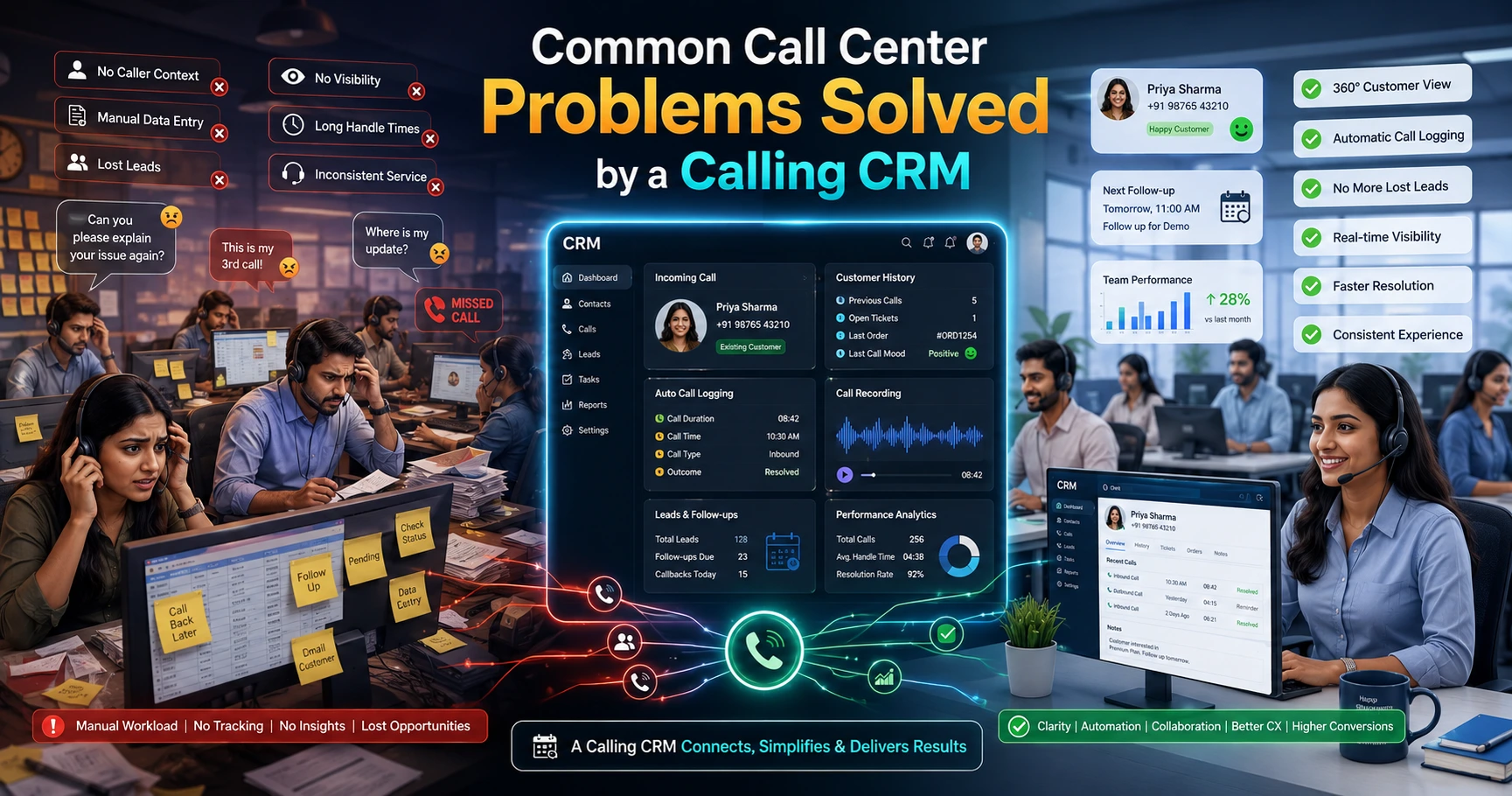
If your call center still runs on spreadsheets, sticky notes and a shared dialer list, you already know the problems: leads get called twice, follow-ups get forgotten, and nobody can tell you how many calls the team actually made yesterday. A dedicated CRM for call center teams fixes this by putting leads, calls, follow-ups and reporting in one place, instead of scattered across Excel sheets and WhatsApp chats. Many outbound teams eventually move to a CRM for call center operations once manual tracking stops scaling with their call volume.
This article explains what a call center CRM actually does, the features worth checking before you buy, the real benefits teams see, and how to choose one that fits your team size and industry.
What Is a CRM for Call Centers?
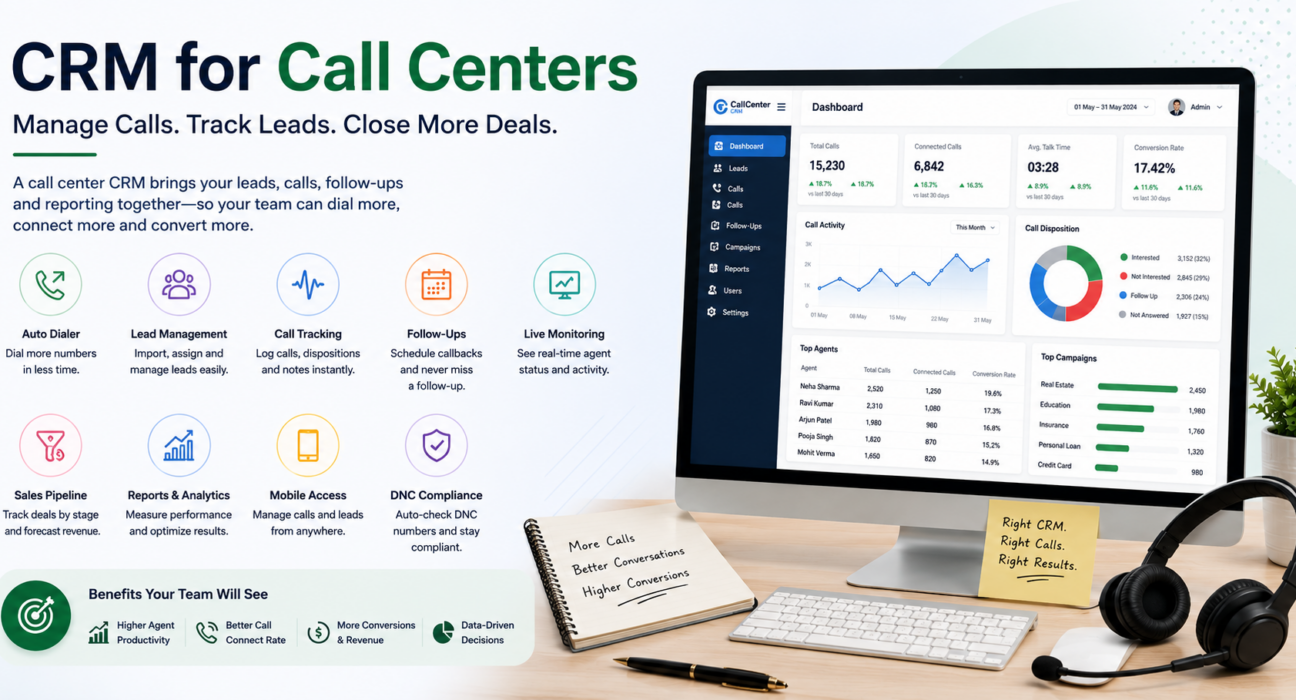
A CRM for call centers is software built specifically for outbound and inbound calling teams. It combines lead management, an auto dialer, call logging, follow-up scheduling and reporting into a single system, so agents don’t have to switch between a spreadsheet, a phone and a notebook.
Unlike a general-purpose CRM, which is often built around email and deal stages, a call center CRM is built around the call itself: who to call next, what happened on the call, and when to call them again.
How a Call Center CRM Differs from a Generic CRM
Many businesses start with a generic CRM and later switch to a telecalling-focused one. The difference usually comes down to three things:
| Aspect | Generic CRM | Call Center CRM |
|---|---|---|
| Core workflow | Deals, pipelines, emails | Calls, dispositions, callbacks |
| Dialing | Manual, click-to-call at best | Auto dialer that queues leads automatically |
| Team monitoring | Basic activity logs | Live agent status (on call, idle, wrap-up) |
| Compliance | Not built-in | DNC checks and call recording built for outbound teams |
If your team spends most of its day on the phone rather than sending emails, a purpose-built call center CRM usually fits better than a general sales CRM retrofitted for calling.
Core Features to Look for in a CRM for Call Centers
Not every CRM labelled “for call centers” actually covers what a busy outbound team needs. Here are the features worth checking before you commit to one.
1. Auto Dialer
An auto dialer moves agents from one lead to the next automatically, instead of agents dialing numbers by hand. This alone removes a lot of dead time between calls and is often the single biggest productivity change a call center CRM brings.
2. Lead Management and Import
The CRM should let you import leads from a CSV or spreadsheet, assign them to agents automatically, and flag duplicates before they get called twice. For teams buying leads from multiple sources — Facebook ads, Google ads, property portals, job portals — automatic lead capture from these sources saves manual data entry every day.
3. Call Tracking and Disposition Logging
Every call should be logged with duration, outcome (connected, not answered, interested, not interested) and notes. This is what turns a pile of phone numbers into usable sales data.
4. Follow-Up Scheduling
Leads rarely convert on the first call. A callback and reminder system, with overdue alerts, is what stops warm leads from going cold simply because nobody remembered to call back.
5. Live Team Monitoring
Supervisors need to see, in real time, who is on a call, who is idle, and how the team is tracking against targets. This is sometimes called a “war room” view and is especially useful for larger floors where a manager can’t walk around and check on every agent.
6. Sales Pipeline and Revenue Tracking
For teams selling anything with a deal value — insurance policies, loans, courses, property bookings — a pipeline view that tracks deal value by stage helps management see what’s actually likely to close, not just how many calls were made.
7. Reporting and Analytics
Reports on connection rate, agent performance and conversion by lead source help you spot what’s working. Without this, decisions about which lead source to invest more in are just guesswork.
8. Mobile Access
Field sales teams, remote agents and businesses that don’t want reps chained to a desktop need a mobile app that supports calling, logging outcomes and checking follow-ups from a phone.
9. DNC and Compliance
For any calling business in India, checking numbers against the Do Not Call registry before dialing isn’t optional — it protects you from compliance complaints and keeps your calling operation clean.
Benefits of Using a CRM for Call Centers
Once these features are in place, the benefits show up in a few consistent areas.
More calls per agent, per day. Removing manual dialing and lead-hunting time means agents spend more of their shift actually talking to prospects.
Fewer leads slip through the cracks. Automatic assignment and follow-up reminders mean a lead doesn’t sit untouched just because it landed with an agent who’s busy or on leave.
Better visibility for managers. Instead of asking “how many calls did we make today,” a manager can see it on a live dashboard, along with which agents are converting and which need coaching.
Cleaner reporting for decision-making. Knowing which lead source (say, Facebook ads vs. a property portal) actually converts helps businesses spend their acquisition budget more wisely.
Here’s how this plays out in a few industries, purely as illustrative examples:
- Real estate: An agency running site-visit follow-ups across dozens of leads a day can use call and follow-up tracking to make sure no enquiry from a portal like 99acres or Housing.com goes uncalled for more than a few hours.
- Insurance: Renewal reminders and call recording help agencies stay compliant while keeping renewal conversations on schedule.
- Education: Admission counsellors handling enquiry spikes during admission season can rely on auto-assignment so no student enquiry waits unattended.
- Recruitment: Recruiters calling large candidate lists benefit from disposition tracking to quickly separate interested candidates from those who aren’t a fit.
These are illustrative scenarios based on how call center CRMs are typically used in these industries, not case studies of specific businesses.
Common Mistakes When Choosing a Call Center CRM
Teams often run into the same issues when picking a system:
- Buying based on price alone, without checking if the essentials (auto dialer, follow-up reminders, reporting) are actually included or sold as paid add-ons.
- Ignoring per-user pricing traps, where the CRM looks cheap at first but costs multiply quickly as the team grows.
- Skipping the compliance check, and later dealing with DNC complaints because the system didn’t screen numbers automatically.
- Choosing a generic CRM built for email-based sales, then trying to force a calling workflow into it.
- Not testing the mobile app before buying, only to find field agents can’t work from it properly.
How to Choose the Right CRM for Your Call Center
Use this checklist when comparing options:
- List your must-have features — auto dialer, lead import, follow-up reminders, and reporting are usually non-negotiable for a calling team.
- Check pricing structure — flat per-team pricing is easier to plan around than per-user pricing that grows every time you hire.
- Confirm DNC and compliance support — this matters for any outbound calling business in India.
- Test the mobile app, especially if you have field agents or remote callers.
- Ask about lead source integrations — check whether your existing ad accounts, portals or website forms connect directly.
- Check setup time — a system that takes weeks to configure delays the return on your investment.
- Look at reporting depth — connection rates, agent-wise performance and lead-source conversion should be available without extra configuration.
How TeleCallingCRM Supports Call Center Teams
TeleCallingCRM is built specifically for outbound calling teams, including call centers and BPOs. It includes a smart auto dialer, automatic lead assignment and de-duplication, call tracking with disposition logging, follow-up scheduling with overdue alerts, a live war room for supervisors to monitor the floor in real time, and a sales pipeline with deal-value tracking. It also connects with over a dozen lead sources — including Facebook and Instagram Lead Ads, Google Ads, property portals and CSV imports — and includes an Android and iOS mobile app for agents working outside the office.
You can see how the platform is set up specifically for telecalling software built around calling workflows, from the auto dialer to reporting, if you want to explore how these features fit together for a call center team.
Frequently Asked Questions
What is the difference between a call center CRM and a regular CRM?
A call center CRM is built around the calling workflow — auto dialing, disposition logging and callback scheduling — while a regular CRM is usually built around email and generic deal stages. Call center teams generally get more value from a system designed for high call volume.
Do small call centers need a CRM, or is it only for large teams?
Even small teams benefit, since manual tracking in spreadsheets becomes unmanageable once you’re handling more than a handful of agents or a few hundred leads. A CRM helps small teams stay organized before problems like duplicate calls or missed follow-ups start costing them leads.
Does a call center CRM help with compliance?
Yes, most call center CRMs include DNC (Do Not Call) list checks and call recording, which help outbound teams stay compliant with telecom regulations and avoid complaints.
Can a call center CRM work for a remote or field team?
Yes, as long as it includes a mobile app. Agents can then make calls, log outcomes and manage follow-ups from a phone rather than being tied to a desktop system.
How long does it typically take to set up a call center CRM?
This varies by provider, but many modern systems are designed for same-day setup — importing a lead list and getting agents calling within the same day, without needing developer involvement.
Is lead management software the same as a call center CRM?
Not exactly. Lead management software focuses on capturing and organizing leads, while a call center CRM adds the calling layer on top — auto dialing, call tracking and disposition logging — making it a more complete system for outbound teams.
What features should a small business prioritize first?
Lead import with de-duplication, an auto dialer, and follow-up reminders typically give the fastest return, since they directly reduce wasted calling time and missed leads.
Conclusion
A CRM for call centers isn’t just a place to store contact numbers — it’s what turns a list of leads into a working outbound operation, with visibility into what agents are doing and which leads are converting. When evaluating options, focus on the features that match how your team actually works: an auto dialer, reliable follow-up tracking, live monitoring, and reporting that tells you where your leads are coming from and what happens to them.
Businesses comparing options for a telecaller CRM built around Indian outbound calling workflows can look at how telecalling CRM plans are structured before deciding what fits their team size and budget.