Mistakes to Avoid While Choosing a Call Center CRM can save your business time, money, and a lot of frustration. So you have decided to get a CRM for your call center. Good move. But here is the thing a lot of businesses jump into this decision without thinking it through and end up with a tool that creates more problems than it solves.
Picking the wrong CRM can slow down your agents, frustrate your customers, and honestly, waste a good chunk of money. The good news? Most of these mistakes are completely avoidable if you know what to watch out for.
Let us walk through the most common ones.
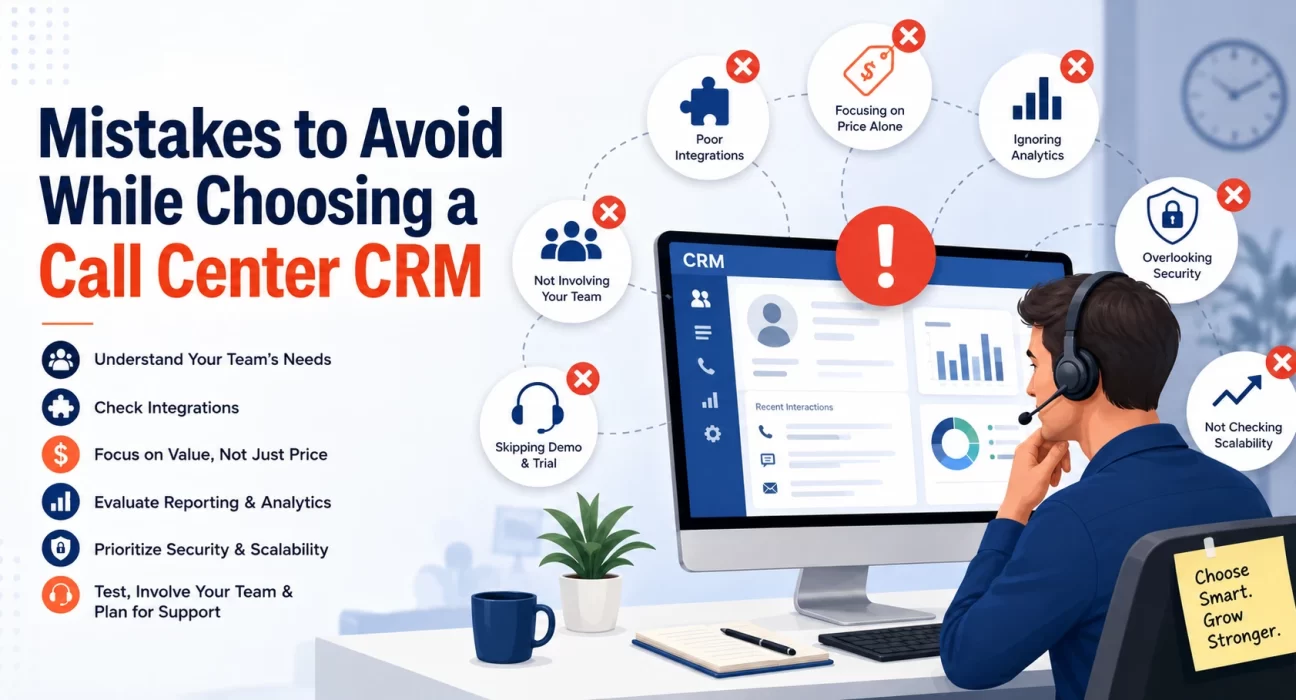
Not Thinking About What Your Team Actually Needs
This is the number one mistake. People get excited about fancy features and forget to ask the basic question what does my team actually need on a daily basis?
Before you even start looking at options, sit down with your agents and team leads. Find out what is slowing them down right now. Is it that they cannot pull up customer history fast enough? Or that they are switching between too many tabs? Or that follow-up tasks keep falling through the cracks?
Once you know the real problems, you can look for a CRM that solves them. Not the other way around.
Focusing Too Much on Price Alone
We get it budgets are tight. But going for the cheapest option without checking if it actually does what you need is a trap many businesses fall into.
A low cost CRM that misses key features will cost you more in the long run. Think about agent time wasted, customer complaints, and the headache of switching systems again in six months.
That said, you also do not need to go for the most expensive tool on the market. The goal is value for money, not just the lowest price tag.
Ignoring Integration With Your Existing Tools
Your CRM does not work in isolation. It needs to talk to your telephony system, your helpdesk software, your email platform, maybe even your billing system.
A lot of buyers skip this check and only realize the problem after they have already paid for the tool. Then they are stuck with a CRM that sits in a corner, disconnected from everything else.
Before finalizing anything, make a list of all the tools your team currently uses and check whether the CRM integrates with them properly. Not just “technically possible” integrations but smooth, working ones.
Skipping the Demo and Free Trial
You would not buy a car without a test drive. So why would you spend money on a CRM without testing it first?
A lot of vendors offer free trials or product demos. Use them. Get your actual agents to try the system, not just the manager or IT person. The people who will use it every day are the best judges of whether it works in real life.
Pay attention to how long it takes to do common tasks. Is it easy to pull up a customer’s previous interactions? Can agents log a call without jumping through five screens? These small things matter a lot when you are handling hundreds of calls a day.
Overlooking Ease of Use
A CRM packed with features sounds great on paper. But if your agents need two weeks of training just to figure out the basics, that is a problem.
Complex systems lead to low adoption. Agents find workarounds, skip steps, or just go back to using spreadsheets and sticky notes. Then the whole investment goes to waste.
Look for something that is clean, simple, and does not require a manual to understand. If it takes more than a day for a new agent to get comfortable with it, that is a red flag.
Not Checking Scalability
Your business is not going to stay the same size forever at least, you hope not. So why choose a CRM that only works for your current team size?
Some CRMs are great for small teams but start struggling when you add more agents, more data, or more call volume. Others charge you a lot more as you grow, making it expensive to scale.
When choosing a call center CRM, always ask: “Will this still work well if we double our team in the next two years?” If the answer is unclear or the pricing becomes unworkable, keep looking.
Ignoring Reporting and Analytics
You need to know what is happening inside your call Centre. Which agents are performing well? Where are customers dropping off? What are the most common reasons people are calling in?
A CRM without decent reporting leaves you guessing. And guessing is not a strategy.
Make sure the CRM you pick gives you clear, useful reports call duration, resolution rates, agent performance, customer satisfaction, and so on. Bonus points if you can customize the dashboards to show what matters most to your team.
Not Thinking About Data Security
Call centers handle a lot of sensitive information customer names, phone numbers, payment details, complaints. All of this needs to be protected.
Before signing up for any CRM, check what security measures are in place. Is the data encrypted? Where is it stored? What happens if there is a breach? Does the vendor comply with data protection laws relevant to your region?
This is especially important if you are in industries like banking, healthcare, or e-commerce.
Buying Based on a Sales Pitch Alone
Sales teams are good at their jobs. They will show you the best demos, highlight the most impressive features, and make the whole thing sound perfect.
But a polished sales pitch is not the same as a product that works for your specific situation. Always go beyond the demo. Look for honest reviews from other businesses in your industry. Ask the vendor for case studies. Talk to existing customers if you can.
The more you know about real world performance, the better your decision will be.
Not Involving Your IT Team Early
If your IT team is not involved in the selection process from the beginning, you are setting yourself up for problems later.
They need to check whether the CRM can be properly set up in your environment, whether it meets your company’s security standards, and how much IT support it will need ongoing. Finding out too late that the CRM requires infrastructure you do not have or that it conflicts with your existing setup is an expensive lesson.
Get IT in the room from day one.
Underestimating the Onboarding and Support
Even the best CRM will need proper onboarding. Agents need training. Processes need to be set up. Data needs to be migrated correctly.
Ask the vendor what kind of onboarding support they provide. Is there a dedicated account manager? What does the training process look like? What happens when something breaks how quickly do they respond?
Poor support after purchase is one of the most common complaints businesses have about CRM vendors. Do not ignore this part of the conversation.
Conclusion
Choosing a call center CRM is a big decision, and it is easy to rush through it or focus on the wrong things. The mistakes above are all common, and they all lead to the same outcome a tool that does not really help your team do better work.
Take your time, involve the right people, test before you commit, and think beyond just the features list. A good CRM should make your agents’ work easier and your customers’ experience better. If it is doing both, you are on the right track.