“AI automation” has become one of those phrases every business feels pressure to act on, but very few know where to begin. Should you automate customer support first? Marketing? Internal operations? Do you need a custom AI solution, or will off-the-shelf tools do the job?
If you’re a founder, operations lead, or business owner exploring AI automation for business, the real challenge usually isn’t a lack of options. It’s the opposite: too many tools, too many opinions, and not enough clarity on what actually moves the needle for your specific business.
This guide breaks down how to approach AI automation practically – starting with the processes worth automating first, how to evaluate whether you need a tool or a custom-built solution, and how to avoid the common mistakes businesses make when they try to “do AI” without a clear plan.
What Is AI Automation for Business, Really?
AI automation for business refers to using artificial intelligence – including machine learning models, natural language processing, and generative AI – to handle tasks that previously required manual human effort. This is different from traditional automation (like basic workflow triggers or scheduled scripts), because AI automation can handle unstructured data, make judgment-based decisions, and adapt to new inputs.
In practice, this includes things like:
- Automatically responding to customer inquiries using AI chatbots
- Summarizing meetings, documents, or support tickets
- Generating first drafts of marketing content
- Routing and prioritizing sales leads
- Automating repetitive data entry and reporting
- Flagging anomalies in financial or operational data
The key distinction: traditional automation follows fixed rules. AI automation can interpret context, language, and patterns – which is why it’s being applied to a much wider range of business functions than automation tools could handle a few years ago.
Why Businesses Struggle to Get Started
Most businesses don’t fail at AI automation because the technology doesn’t work. They struggle because they try to automate too much, too fast, without a clear starting point. Common reasons include:
- No clear priority. Teams try to automate everything at once instead of picking one high-impact process.
- Mismatched expectations. Leaders expect AI to “run itself” without accounting for setup, training data, or oversight.
- Wrong tool for the job. A generic AI tool gets forced onto a workflow it wasn’t designed for.
- No internal ownership. Nobody is responsible for maintaining or improving the automation after launch.
- Data readiness gaps. The business’s data is too messy, siloed, or inconsistent for AI tools to work effectively.
Understanding these failure points before you start is what separates businesses that get real value from AI automation from those that abandon it after a few months.
Where Should You Start? A Practical Framework
Rather than asking “what can AI automate,” a more useful question is: which manual process is costing us the most time, money, or accuracy right now?
Step 1: Identify High-Volume, Repetitive Tasks
AI automation delivers the fastest ROI on tasks that are repetitive, high-volume, and rules-adjacent but currently require human judgment. Good candidates include:
- Answering common customer support questions
- Qualifying and routing inbound leads
- Data entry between systems (CRM, ERP, spreadsheets)
- Drafting reports or summaries from existing data
- Scheduling, reminders, and follow-ups
If a task happens dozens or hundreds of times a week and follows a recognizable pattern, it’s a strong automation candidate.
Step 2: Prioritize by Business Impact, Not Novelty
It’s tempting to automate the most “exciting” use case – an AI content generator, a chatbot with a personality, a predictive dashboard. But the businesses that get the most value usually start with the most boring, highest-friction task.
Ask:
- What task consumes the most staff hours per week?
- Where do errors or delays cost us money or customers?
- What process, if automated, would let staff focus on higher-value work?
Step 3: Decide Between Off-the-Shelf Tools and Custom Development
Not every automation need requires custom software. Here’s a simple way to think about it:
| Situation | Likely Best Fit |
|---|---|
| Standard use case (support chatbot, email drafting, scheduling) | Off-the-shelf AI tool or SaaS platform |
| Unique workflow tied to your internal systems | Custom automation or integration |
| Needs to connect multiple existing tools (CRM, ERP, helpdesk) | Custom integration or automation platform |
| Sensitive data with strict compliance requirements | Custom-built solution with controlled data handling |
| Testing an idea before committing budget | Off-the-shelf tool, pilot first |
If your workflow is fairly standard, a ready-made AI tool is usually faster and cheaper to implement. If your business has unique processes, legacy systems, or compliance needs, working with a software development company that specializes in AI integration is often the more reliable path.
This is where a platform like GoFirms can help – businesses can research and compare software development companies and IT service providers that offer AI automation and integration expertise, rather than guessing which vendor is a good fit.
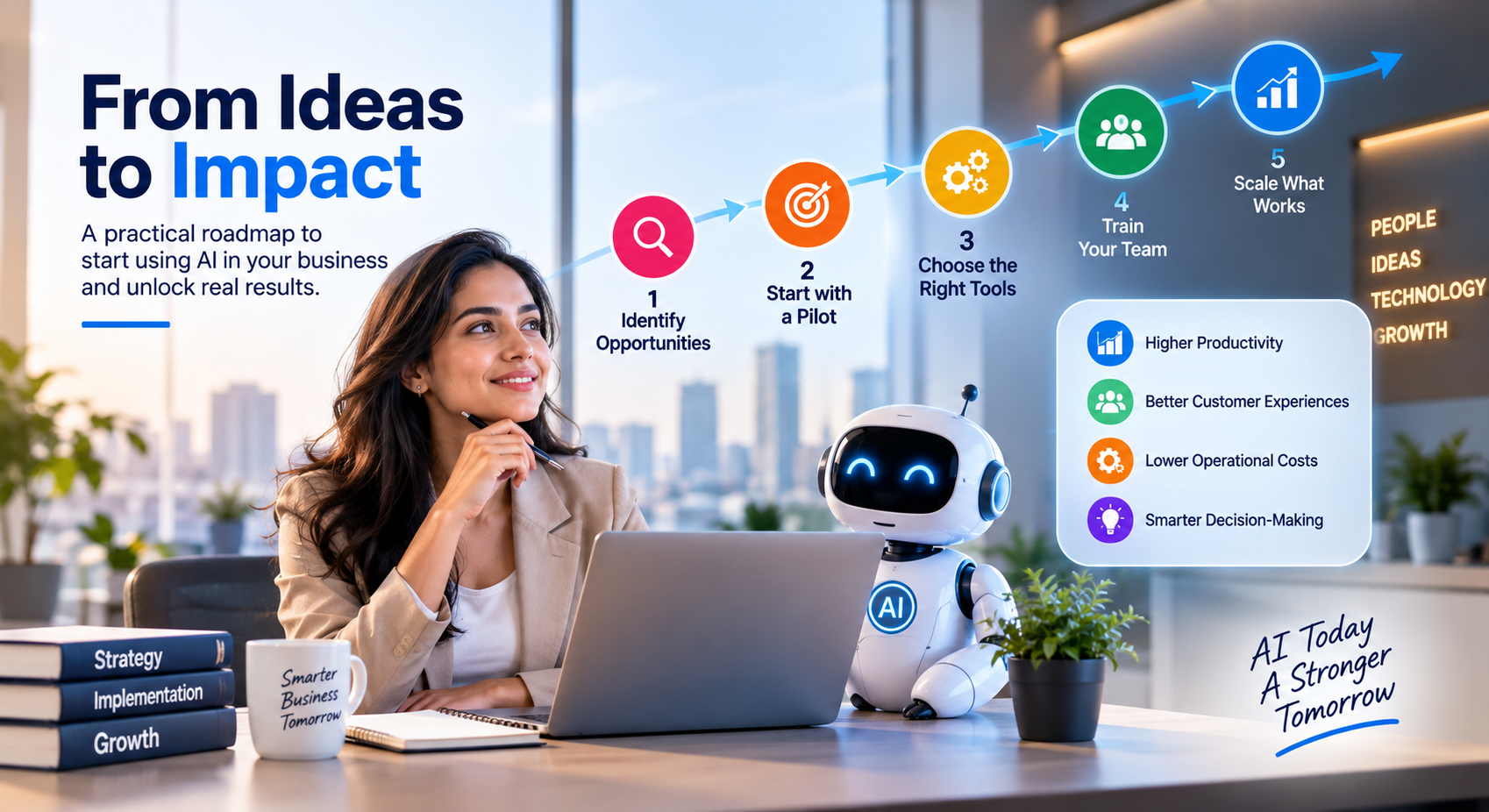
Step 4: Start Small and Pilot Before Scaling
Avoid rolling out AI automation company-wide on day one. Instead:
- Pick one process.
- Set a clear success metric (time saved, error reduction, response time).
- Run a pilot for 4–8 weeks.
- Review results with the team actually using it.
- Adjust, then expand to a second process.
This reduces risk, builds internal buy-in, and gives you real data on what’s working before you invest further.
Step 5: Prepare Your Data and Systems
AI automation is only as good as the data feeding it. Before implementing any tool, check:
- Is your data centralized, or scattered across disconnected systems?
- Is it reasonably clean and consistent?
- Do you have the right integrations (APIs) between your existing tools?
Businesses that skip this step often see poor initial results – not because the AI tool is bad, but because it’s working with incomplete or messy inputs.
Common Areas Businesses Automate First
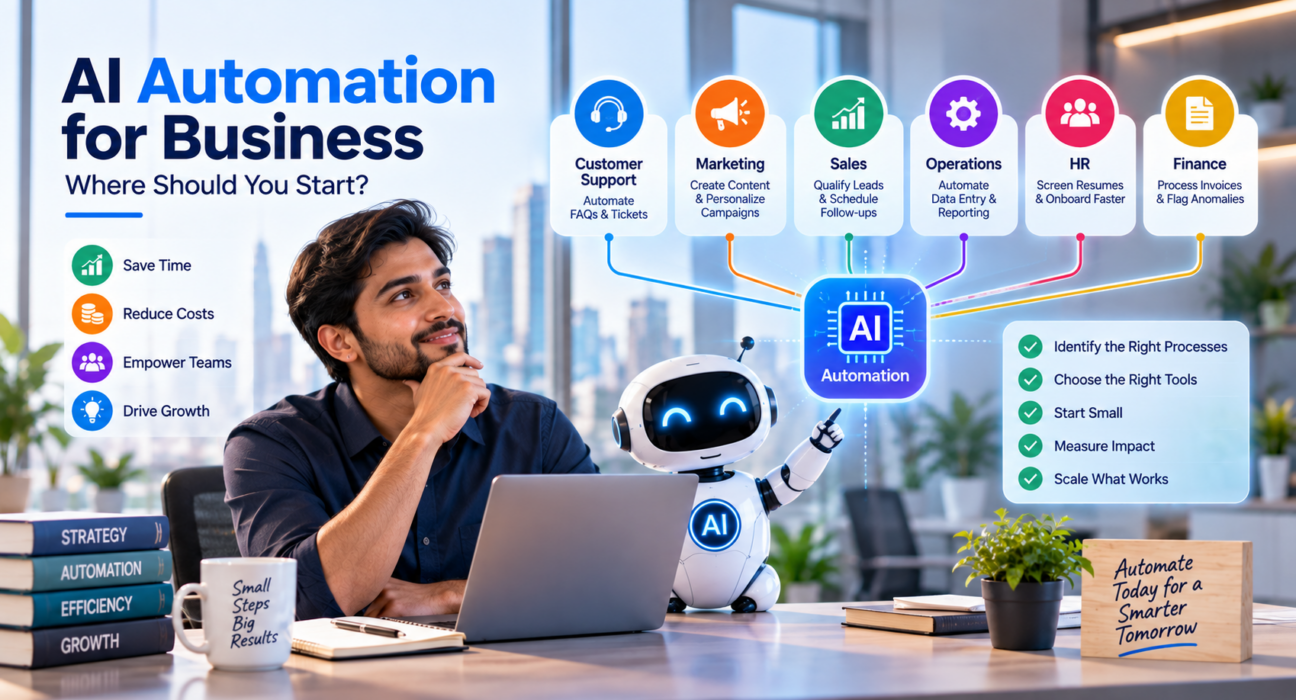
While every business is different, these are the areas companies most commonly start with when adopting AI automation:
Customer Support AI chatbots and ticket-routing tools handle common questions, freeing human agents for complex issues.
Sales and Lead Management AI tools score, qualify, and route leads automatically, reducing response time and manual sorting.
Marketing Content AI assists with first drafts of blog posts, ad copy, and social captions – with human review before publishing.
Internal Operations Automated reporting, document summarization, and data entry between systems reduce administrative overhead.
Finance and Accounting AI flags anomalies, automates invoice processing, and speeds up reconciliation tasks.
Build vs. Buy: How to Decide With Confidence
A common point of confusion is whether to buy an existing AI tool or build a custom automation. Consider these questions:
- Does an existing tool already solve 80% of the problem? If yes, buying is usually faster and cheaper.
- Is this process core to your competitive advantage? If yes, custom development may be worth the investment.
- Do you need deep integration with proprietary systems? Off-the-shelf tools often fall short here.
- What’s your timeline and budget? Custom development typically requires more time and higher upfront cost, but can deliver a better long-term fit.
For businesses unsure which direction fits their needs, comparing multiple software development companies or AI-focused technology providers – rather than committing to the first vendor you find – is a practical way to make a more informed decision. This is one of the areas where a discovery platform like GoFirms is useful: it allows businesses to compare providers based on their focus areas and past work before making a hiring decision.
Mistakes to Avoid When Starting With AI Automation
- Automating a broken process. Automation speeds up whatever process you give it – including bad ones. Fix the process first.
- Skipping employee input. The people doing the task daily usually know where the real friction is.
- Ignoring change management. Staff need training and context, not just a new tool dropped into their workflow.
- Choosing a vendor based on hype alone. Ask for specifics on how a tool or provider has handled similar use cases.
- Not defining success metrics upfront. Without a baseline, you can’t prove ROI later.
Frequently Asked Questions
What is the easiest AI automation to start with for a small business? Customer support automation, such as an AI chatbot handling common questions, is often the easiest starting point. It requires minimal setup, integrates with most helpdesk tools, and delivers measurable time savings quickly compared to more complex automations.
Do I need custom software to implement AI automation? Not always. Many businesses start with existing AI tools or SaaS platforms that cover common use cases like content drafting, chat support, or scheduling. Custom development becomes more relevant when your workflows are unique or require deep integration with internal systems.
How much does AI automation cost for a business? Costs vary widely depending on scope – from low-cost monthly SaaS subscriptions to larger custom development projects. Rather than estimating a fixed number, businesses should request quotes from a few providers based on their specific use case and requirements.
How long does it take to implement AI automation? A simple tool-based automation can be live within days to a few weeks. Custom-built automation involving system integrations typically takes longer, often several weeks to a few months, depending on complexity and how much testing is required.
Can AI automation replace employees? AI automation is generally better suited to handling repetitive, well-defined tasks rather than fully replacing roles. Most businesses use it to reduce manual workload so employees can focus on higher-value, judgment-based work rather than eliminating positions outright.
How do I choose the right AI automation partner or tool? Start by clearly defining the process you want to automate, then compare providers or tools based on relevant experience, integration capabilities, and support. Platforms like GoFirms let businesses research and compare technology providers based on their focus areas before making a decision.
Is AI automation only for large enterprises? No. Many AI automation tools are built specifically for small and mid-sized businesses, with pricing and setup designed for smaller teams. The key is choosing automation that matches your business size and actual needs, not assuming you need enterprise-level infrastructure.
Conclusion
AI automation for business isn’t about adopting every available tool – it’s about identifying the one or two processes causing the most friction, testing a focused solution, and expanding from there. Start with high-volume, repetitive tasks, decide honestly whether an off-the-shelf tool or custom development fits your needs, and prepare your data before rolling anything out.
If you’re not sure which type of provider fits your automation needs, researching and comparing software development companies and technology providers through a platform like GoFirms can help you make a more informed choice – rather than starting your AI automation journey with guesswork.